Make Instagram Stories from your music
Share what you're listening to as a real video: your remix plays (slowed, sped up or with reverb, exactly as you made it) while the lyrics follow along, a record spins or bars move with the beat. It's made on your phone in seconds.
Open THE REMIXITY, freeWorks in your browser on iPhone, Android and computers. Nothing to install, nothing uploaded.
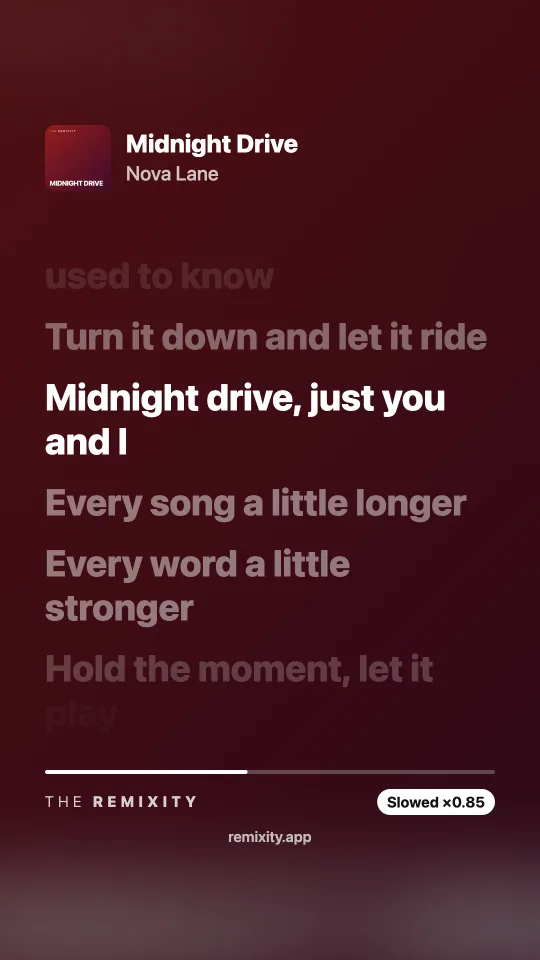
Five looks
Cover puts the artwork in a clean card. Lyrics shows the words line by line in time with the music. Vinyl turns your cover into the label of a spinning record, slower when the song is slowed. Full cover fills the screen with the artwork. Waves adds bars that move with the actual audio.
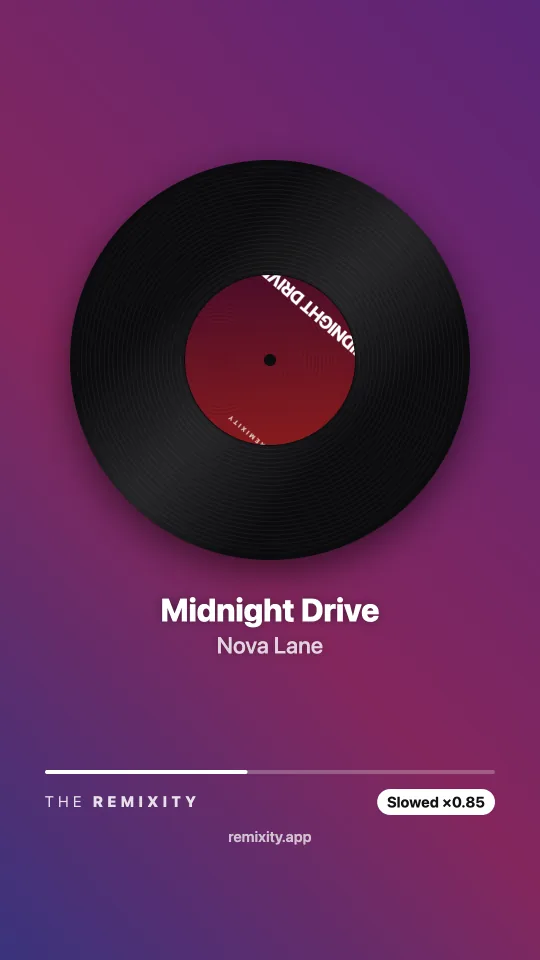
Your remix, your speed
The video carries a 15 or 30 second clip of the song exactly as you hear it in THE REMIXITY: the speed, the reverb, the EQ. Choose where in the song it starts.
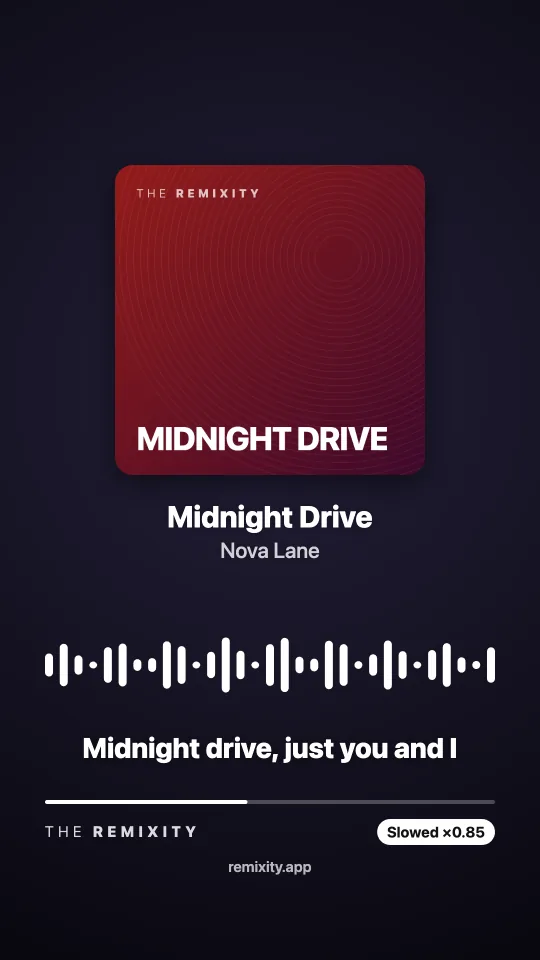
Make it yours
Pick the background (the blurred cover, its colours or dark), show the sung line as a subtitle under any design, and show or hide the speed badge. The preview updates as you go.
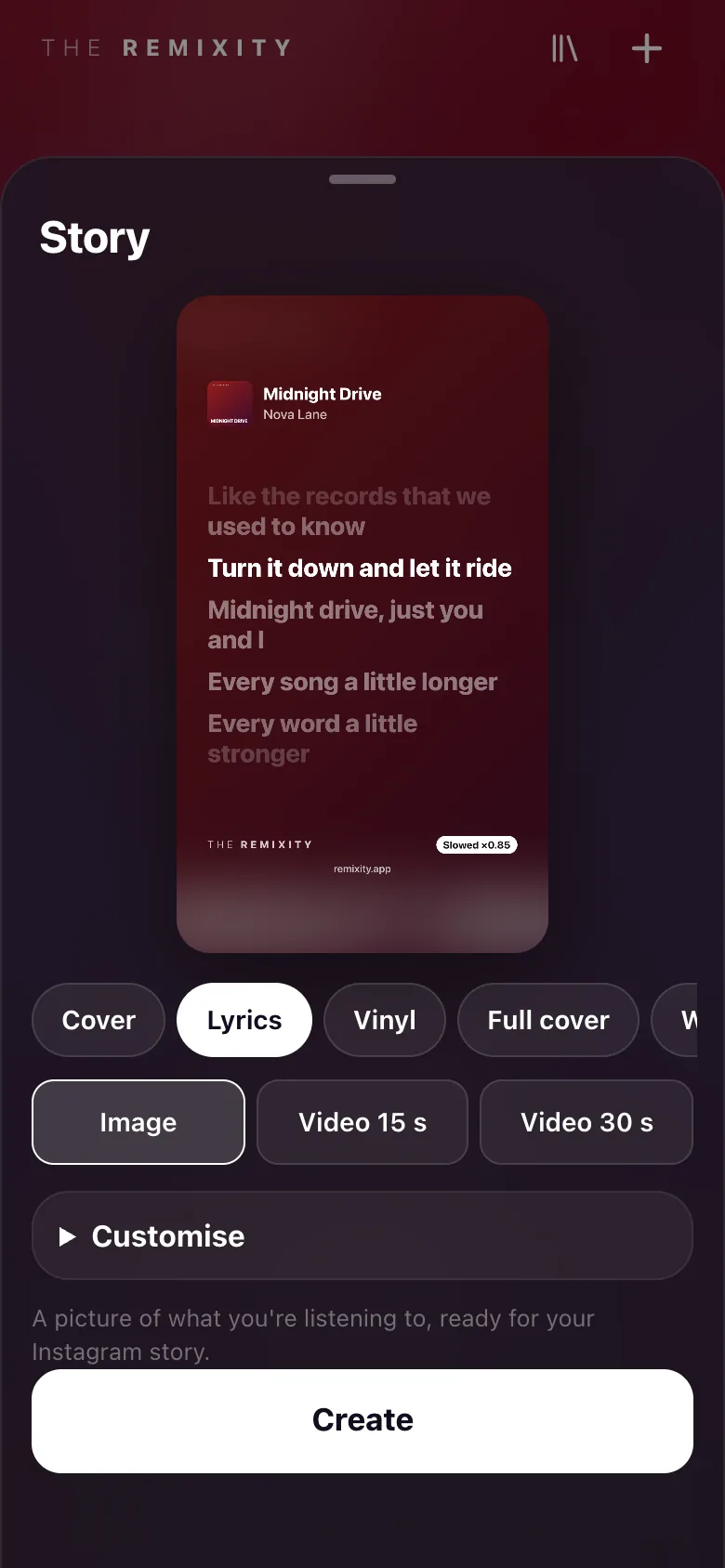
Sharp and ready to post
Videos are 1080×1920 H.264 MP4 with AAC sound, the format Instagram expects. When it's ready, tap Share, pick Instagram, then Story.
How to do it
- Play a song in THE REMIXITY and open the download sheet.
- Tap Make a story, pick a look and Video 15 s or 30 s.
- Tap Create, then Share → Instagram → Story.
Questions
How do I put a song with lyrics in my Instagram Story?
Choose the Lyrics look (or turn on the lyrics line under any look). The words follow the music in the video. It works for songs that have timed lyrics.
Can I post a slowed or sped-up version?
Yes. The Story uses your remix exactly as you set it, and the record and waves follow its speed.
Does it upload my music?
No. The video is made on your device; it only goes where you share it.