Slowed and reverb generator, free and online
Pick a song from your phone or computer, slide the pedal down, and THE REMIXITY slows it and adds the reverb for you: a slowed + reverb version in seconds. Slide it up for sped up and nightcore. No app to install, no account, and your music never leaves your device.
Open THE REMIXITY, freeWorks in your browser on iPhone, Android and computers. Nothing to install, nothing uploaded.
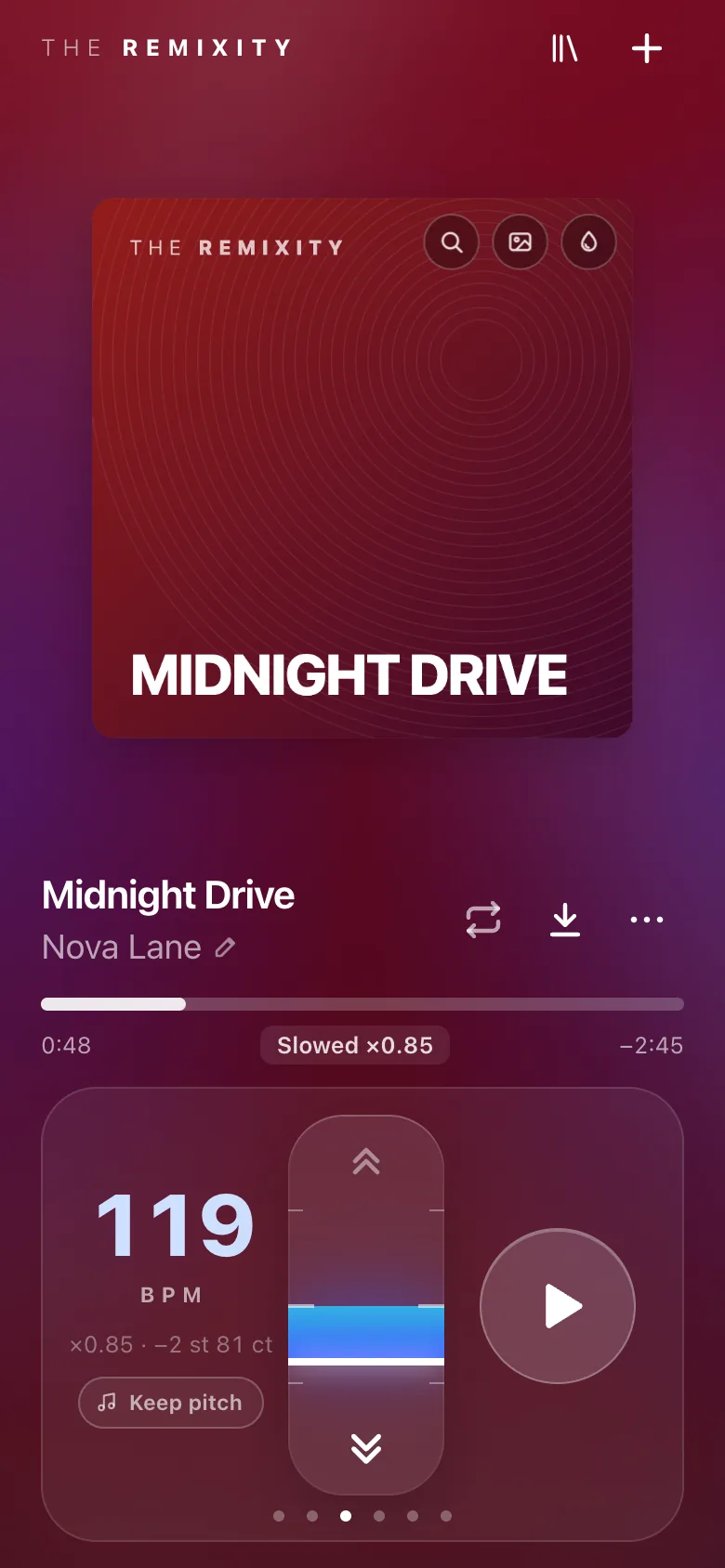
One pedal does it
Slide the pedal down to slow the song, up to speed it up, from half speed (×0.5) to one and a half (×1.5). The BPM updates as you go, so you can aim for a tempo rather than a number.
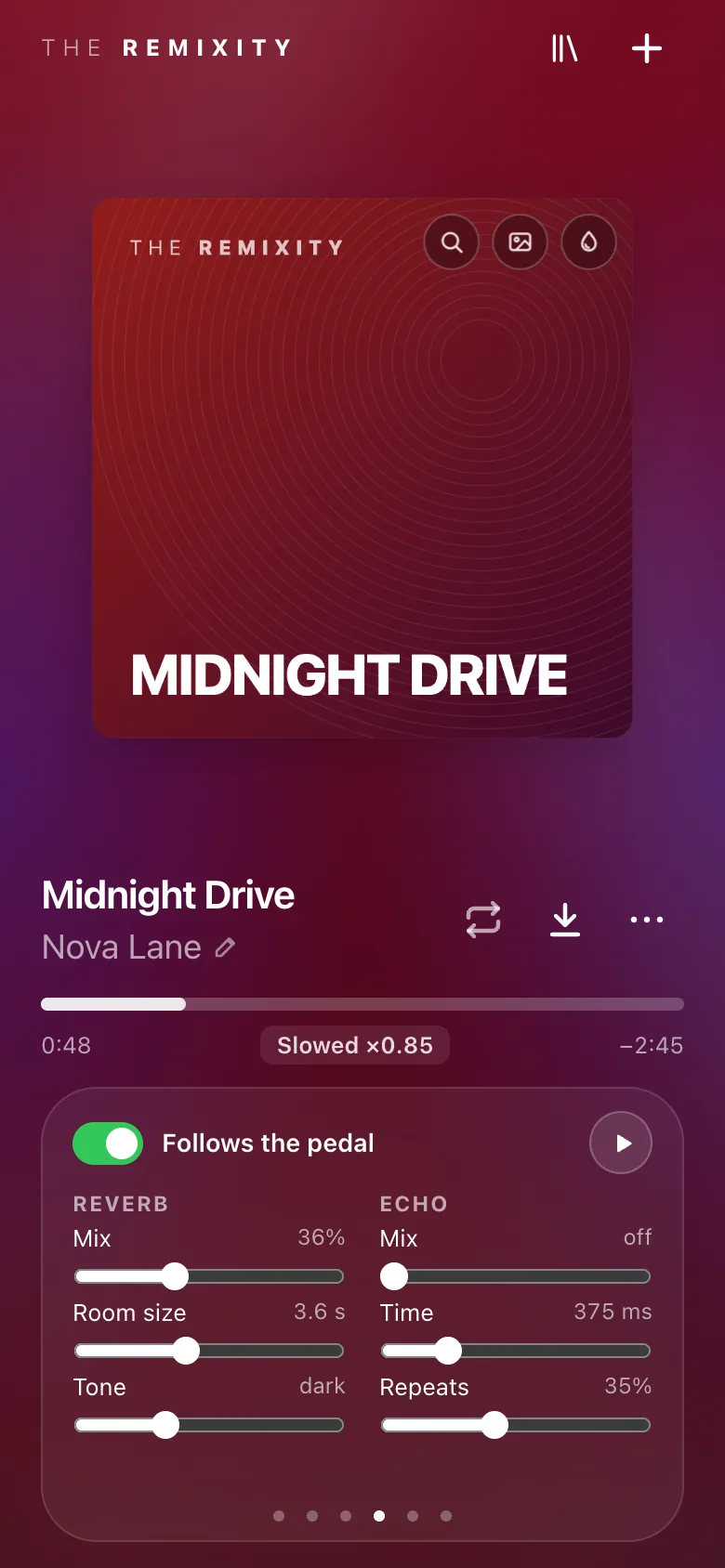
The reverb follows the pedal: the slower the song, the bigger and darker the room it plays in. That's the classic slowed + reverb sound, without touching a single slider. Want to set it yourself? Open the reverb page and change the size, tone and amount.
Slowed, daycore, sped up or nightcore
It's one pedal for all four. Slowed + reverb is the song slower and lower with a big reverb. Daycore is the slowed, lower version on its own: take the reverb down on the reverb page. Sped up is the song a little faster and higher, and nightcore is the same pushed further, past ×1.25.
The speed is shown as ×0.85, ×1.20 and so on, with the tempo in BPM next to it, so you can make the same edit again or match a tempo exactly.
Slow down without lowering the pitch
Classic slowed songs drop in pitch, like a record spinning slower. If you want the song slower but in the same key, turn on Keep pitch: the speed changes, the voice stays where it was.
Export the result
Save your remix as MP3 320 kbps, or as WAV in 16 or 24 bit. Rename the file and set the title, artist and cover that music players will show. You can also share it straight from your phone.
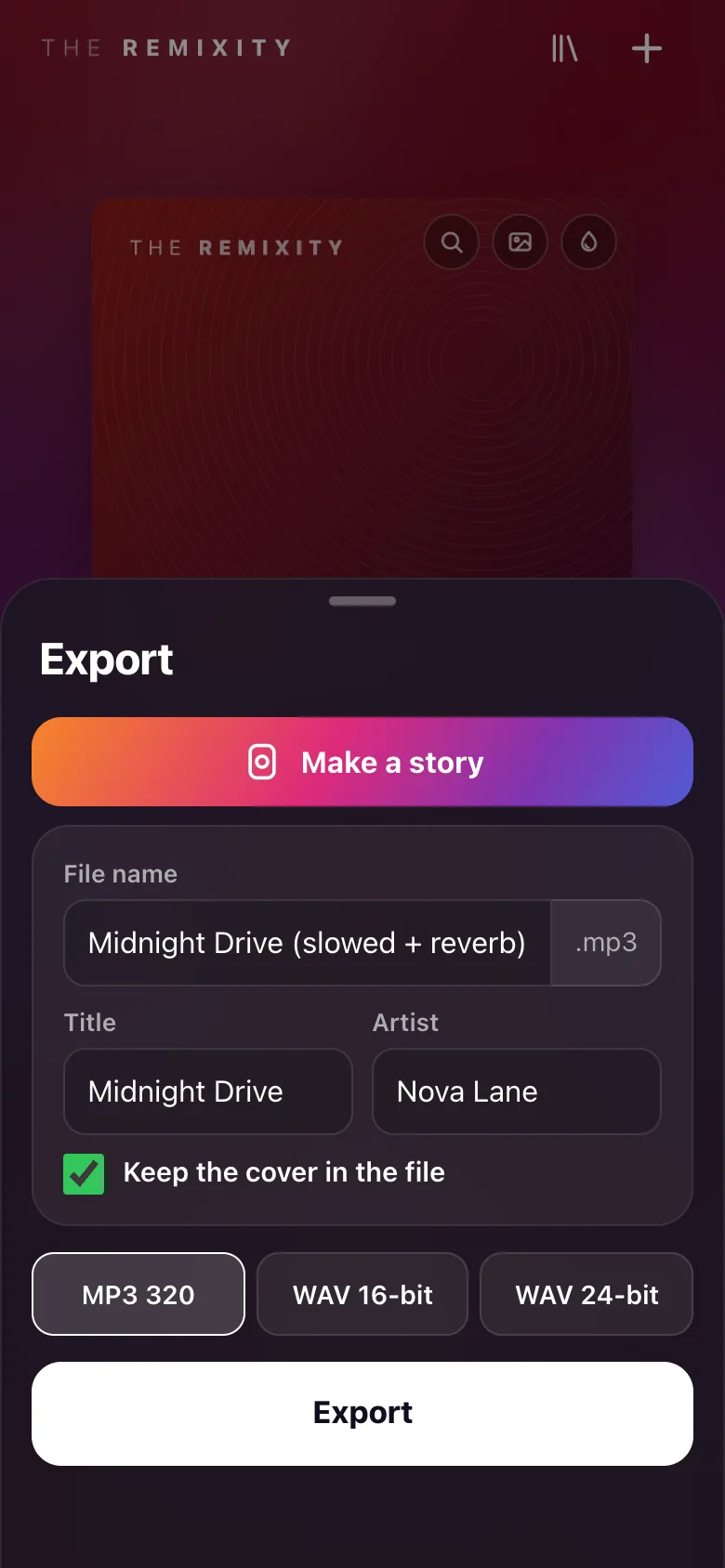
How to do it
- Open THE REMIXITY and choose a song (MP3, WAV, FLAC, M4A, AAC, OGG, Opus or AIFF).
- Slide the pedal down until it sounds right. The reverb comes with it.
- Tap the download button and save it as MP3 or WAV.
Questions
Is it free?
Yes. There's no account and no watermark on your audio.
Is my song uploaded anywhere?
No. The song is decoded, processed and exported on your device. Only if you choose to share it does it go anywhere.
Does it work on iPhone?
Yes, in Safari. You can also add it to your home screen and use it like an app, with the lock screen controls.
How do I slow down a song without downloading software?
Open remixity.app in your browser, choose the song and slide the pedal. Everything happens in the page.
Can I make a sped up or nightcore version?
Yes. Slide the pedal up instead of down: a little for sped up, past ×1.25 for nightcore.
What's the difference between slowed + reverb and daycore?
Both are the song slowed down and lower. Slowed + reverb adds a big reverb; daycore usually keeps it dry. THE REMIXITY adds the reverb automatically, and you can turn it down for daycore.